






Long read
Quick summary
To adopt AI successfully in your funeral home, you first need to identify all the repetitive and time-consuming tasks you have to do that pull you away from families. Tasks like data entry, note-taking, and writing first drafts for obituaries. Then, introduce AI tools that can handle those specific tasks, so your staff can focus on guiding families with compassion and care.
Ultimately, the key is to use AI as an assistant for all your admin work, not as a replacement for the personal touch that only you can give to families.
As a funeral professional, your day can start in different ways. Maybe your alarm goes off, and you’ve had a full night of sleep. Or maybe you get a phone call at 3 AM to pick up a loved one.
No matter what time your day starts, once it does start, it doesn’t stop moving. You’ve got at-need phone calls to return, arrangement conferences to prepare for, services to finalize, vendors to coordinate with, death certificates to check…you name it, the list could go on and on.
And no matter how tired you are, you still go above and beyond to make families feel cared for, understood, and guided.
But all that administrative work pulls you away from the people who matter most. And many funeral homes worry that adding more technology, specifically artificial intelligence (AI), to their processes will only push them further away from caring for families.
But what if the opposite is true? What if AI that was placed in the right parts of your funeral home could help you show up more for families than ever before?
When AI handles the repetitive work, you have more time for guidance, compassion, expertise, and caring service.
AI becomes your assistant. You remain the family’s expert guide.
In this guide, you’ll get answers to common questions like:
- How should you think about AI before getting started?
- What is AI, and why does it matter for funeral service?
- What are practical AI use cases for funeral homes?
- How do I evaluate and choose the right AI tools?
- How do I keep family data safe when using AI?
- How do I introduce AI to my team?
- How is AI being built into funeral home software?

How should funeral homes think about AI before getting started?
Artificial intelligence isn't exactly "new" anymore. It's being used across professions, and tools are constantly emerging for everything from customer service and marketing to operations, analytics, writing, and automation.
But what's still unclear is how to use it in your daily work at your funeral home. Do you ever find yourself asking questions like:
- How should I use it?
- What is safe?
- What should I avoid?
- Where does it belong in my workflow, and where does it not?
These questions are valid. But they're no reason to shy away. And the funeral profession has been here before.
Think back to when technology began to emerge in the funeral profession. Computers. Websites. Funeral home software. Answering services. Online at-need tools.
All of those were new and unknown when they were first introduced. But the funeral professionals who leaned in early didn't lose that personal touch. They gained a competitive advantage: getting work done faster and easier, so they can do more to serve families.
So instead of asking, “Will AI replace this role, this task, or this person?” start asking, “If we do not adopt AI, what are we missing out on?”
To answer that, it helps to first understand what AI is and why it's become such a powerful tool for funeral homes.
What is AI, and why does it matter for your funeral home?
Artificial intelligence, or AI, is technology that helps computers complete tasks that usually require a human touch, like reading and understanding text, spotting trends, writing drafts, pulling together summaries, or handling repetitive tasks so you don't have to.
But why does it matter for your funeral home? AI works behind the scenes and helps you:
#1. Automate repetitive tasks. This is one of the biggest wins with AI. Things like gathering information, writing first drafts, summarizing meetings, filling out forms, sending routine emails, and prepping for internal tasks can eat up hours of your day. AI can help with all of these tasks.
#2. Free up time for strategy, creativity, and problem-solving. When your team isn’t buried in repetitive work, they have more space to think, plan, personalize, and serve.
#3. Improve efficiency and productivity. From filling out forms and planning services to keeping your records organized and consistent, AI can help your funeral home run more smoothly and reduce busywork.
And without AI, your team stays stuck doing work that a tool could handle. Every hour you spend on manual tasks is an hour you're not spending with families. Meanwhile, funeral homes that use AI are already operating faster, showing up more consistently, and delivering the kind of personalized experience that families remember and tell others about.
When AI handles the repetitive work, you get to be more present and personal where it matters most.
So, now that you know the value AI can bring to your funeral home, where exactly are those “right places” to use it in your business?
What are practical AI use cases for funeral homes?
You don't need to be a tech expert to start using AI. You just need to know where it fits in with your funeral home.
And honestly? It fits in more places than you'd think.
From writing obituaries and prepping for arrangement conferences to figuring out what families are actually searching for online, AI can step in and handle the time-consuming work so you can focus on the work that matters.
And as AI continues to evolve, these opportunities will only grow. But you don't have to wait for what's next.
Here are 4 areas where AI is already making a difference in funeral homes.
How can AI help with writing at your funeral home?
If there’s one area where AI earns its keep, it’s writing. And funeral professionals write a lot: obituaries, service scripts, website content, internal notes, social media posts, etc.
Most of these things need to be done quickly. And it still needs to sound warm, professional, and personal. That's a tall order when you're juggling 5 other things.
AI won't replace the way you say things. But it can get rid of the blank page problem and give you a solid starting point. Here's what that looks like:
-
Draft obituaries – Instead of starting from scratch every time, let AI create a first draft of an obituary based on intake notes, vitals, or details the family shared. You’ll still make it personal, but the structure and phrasing take seconds.
-
Write service remarks and celebrant scripts – Opening remarks, speaker transitions, graveside language, and clergy introductions, AI can draft all of it using the details of the person's life. It's especially helpful when you're prepping for multiple services in one week, and each one needs to feel unique.
-
Rewrite the phrases you’ve used a thousand times – We all have them. Those go-to lines we fall back on when we're short on time. AI can take that default language and make it warmer, more specific, and more fitting for the person being honored.
-
Help team members who don't feel comfortable writing – Not everyone on your staff feels confident in their writing. AI helps your team organize their thoughts into a polished draft, so the quality stays consistent no matter who's writing.
- Draft routine family communications – Follow-up emails, photo upload instructions, next-step reminders, and appointment confirmations are all necessary tasks. AI knocks these out, so your team spends less time typing and more time on meaningful conversations.
-
Create copy for memorial materials – From prayer cards and tribute pages to printed keepsakes, AI can write or polish the language so every piece feels intentional and personal.
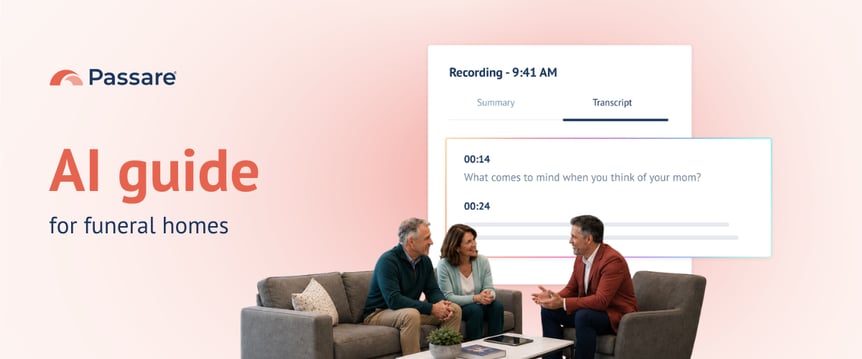
- Take notes during an arrangement conference - AI can record full meetings, transcribe conversations word-for-word, and generate summaries so you can focus on listening.
Every minute you save on a first draft is a minute you can spend reviewing it with fresh eyes, adding the details only you know, or being present for the next family who walks through your door. That's what AI in the right place looks like: less time writing from scratch and more time making it personal.

How can AI help personalize funeral services?
Families will always remember how a service felt. The song that made everyone smile. The personalized display that nailed their dad's sense of humor. The question during arrangements that unlocked a story nobody saw coming.
Those moments don't happen by accident. They happen because someone took the time to think creatively about who this person was. But that takes time, and time isn't always on your side.
AI helps you think faster, so personalization can always happen, even when you are busy. Here's how:
-
Get personalized service ideas – Based on a person’s hobbies, personality, work, and life story, AI can suggest unique touches or themes you might not have considered. Think of it as a brainstorming partner who already knows the case.
-
Ask better questions during family conversations – AI can generate tailored questions based on what you already know about their loved one. You’ll uncover richer stories, better details, and the kind of specifics that make a service unforgettable.
-
Prepare for arrangement conferences – Before you sit down with a family, AI can review available info and suggest talking points and trust-building prompts. You walk in ready rather than starting cold.
-
Guide the arrangement conference itself – During the meeting, AI can help adapt the conversation in real time. It can bring up relevant options based on what the family has shared and keep the meeting focused on what matters most to them.
-
Suggest meaningful keepsakes on any budget – Need a personalized remembrance item that stays under a certain price? AI can tie suggestions to the person's story, interests, or values.
-
Personalize ceremony wording – AI can take the facts of someone’s life and shape them into tailored remarks, acknowledgments, and ceremonial language that actually sound like them.
-
Level up tribute videos and memorial media – AI can organize photos into a narrative, match visuals to the person's story, improve image quality, or restore older photos.
-
Make sense of military service records – For veteran services, AI can help translate military documentation into a message that honors the person's service in a way the family understands.
-
Create custom memorial music – AI can compose an original piece of music inspired by the person's life story and favorite genre.
When personalization gets easier, it stops being something you only do when you have time. It becomes your standard. And that's the whole point. AI gives you the space to be more thoughtful and personal with every family, not just the ones you serve on a slow week.

How can AI help your funeral home get found online?
You’ve heard it before: your funeral home needs a strong online presence. But between serving families, planning services, and keeping your funeral home running, "do some market research" never quite makes it to the top of the list.
AI changes that. It makes strategic work faster and way more doable, even if you don't have a marketing department (or even a marketing person).
Here’s how:
-
Know what questions families have – AI can uncover the real questions people ask when they're choosing a provider: What a funeral should cost? What options exist? Who's most transparent? These are the questions your website should be answering.
-
Find phrasing people actually search for online – Families have their own questions and don't always search the same phrases that funeral professionals use. AI helps you find the natural language people use, so your content matches how they actually look for help.
-
Build FAQ content around families' real questions – Instead of guessing what to publish, use AI to create content around the questions families are already asking and need answers to.
-
Strengthen your local presence – AI can help you draft review responses, keep your business listings consistent, and create content that positions your business as the trusted funeral home in your area.
Families are looking for guidance long before they ever pick up the phone. When you show up with helpful answers early, you become their trusted resource from the very first search.
By the time they're ready to reach out, the foundation of trust is already built, and you've been present for them long before they walk through your door.

How can AI reduce admin work in your funeral home?
Let's be real: most admin work in a funeral home has to get done. But it doesn't have to be you doing it.
Data entry, form transfers, task tracking, and information gathering are all necessary, but they pull your attention away from the work that actually requires your expertise, your empathy, and your presence.
AI is built for exactly this kind of work. Repetitive, structured, predictable tasks where speed and accuracy matter more than human judgment.
Here’s where AI can help:
-
Take over repetitive admin tasks – Collecting basic information, organizing intake details, handling data entry, and pulling details for a case are all things AI can handle without breaking a sweat.
-
Cut the time your team spends on busywork – Every hour someone spends retyping information or copying data between systems is an hour they’re not spending with families. AI picks up those tasks, so your team can do what they were actually hired to do.
-
Handle more without hiring more – As your caseload grows, AI helps you manage the complexity without piling more onto your staff. The goal isn't to replace anyone. It's to give your current team the support to grow without burning out.
-
Keep things moving in the background – AI can quietly push tasks forward, prepare what's needed, and support your staff without anyone needing to babysit it.
-
Make quality more consistent – Different team members, different writing styles, different levels of detail. AI keeps the quality of drafts and communications consistent across your entire team.
The admin work isn’t going away. But it doesn’t have to eat your whole day.
When AI handles the repetitive tasks, you and your team are free to guide families with care through some of the hardest moments of their lives.
.png?width=862&height=359&name=Passare%20-%20Ai%20Guide%20-%20How%20do%20I%20evaluate%20what%20AI%20tools%20to%20use%20(1).png)
How do I evaluate and choose the right AI tools?
So you've seen what AI can do. And honestly, we barely scratched the surface. There are a lot of ways AI can show up for your funeral home.
But before you start downloading every AI app you see on LinkedIn or signing up for platforms your nephew recommended, let's pump the brakes for a second.
Now that you know where AI fits, the next step is making sure you're choosing the right tools to get there. Not every AI tool is created equal, and not every task in your funeral home is the right fit for AI.
Remember, the goal isn't to use more AI. It's about using the right AI in the right places for the right reasons.
Here's how to figure that out.

How to pick the right AI tool for your funeral home
Once you know where AI best fits in your business, here's what to think about before choosing a specific tool:
Built-in vs. standalone
Tools that are already part of the software you use every day (like your case management system) are easier to adopt and usually more secure. Why? Because your data stays where it already lives.
If a tool requires your team to copy info out of one system, paste it somewhere else, get a result, and then bring it back…that's a lot of friction. And friction means it won't get used. Ultimately, the fewer steps it takes to get what you need, the better.
Know where your data goes
This one's a big deal for you, your business, and the families you serve. When you type something into an AI tool, where does that information end up? Is it stored? Shared? Used to train AI for other people? You're working with family information every single day, and that's not something to hand over lightly. Paid and enterprise-level tools usually offer stronger protections than free ones, so read the fine print.
If it’s not easy, it’s not getting used
Your team doesn't have time to learn a complicated new system. Look for tools that slide right into the way you already work, not ones that require a whole new process just to get started. The best AI tools feel like they’ve always been there.
Test it before you trust it
Run the tool on a real task before you commit. Does it give you something usable? Or does it spit out a draft so messy that fixing it takes longer than writing it yourself? If the output creates more work, it's not saving anyone anything.
"Should we use AI here?" A quick checklist.
Not every task belongs in AI's hands. Before you throw something at a tool, run it through these 5 questions:
-
Is this task repetitive and time-consuming? → If yes, great candidate. AI thrives on structured, predictable work that eats up hours without requiring deep judgment.
-
Does it require empathy and human nuance? → If yes, keep a human in the lead. AI can help with the prep work (drafting, organizing, brainstorming), but the final delivery should always come from you or someone on your staff.
-
Does it involve sensitive and regulated data? → If yes, proceed carefully. Make sure the tool meets your security and compliance standards before any family or business information goes into it. (More on that in the next section.)
-
What's the risk if the AI gets it wrong? → Low-risk tasks (first drafts, brainstorming, internal summaries) are perfect starting points. High-risk tasks (legal forms, family-facing communication, anything printed or published) need you or your staff’s review every time.
-
Can someone on your team easily review and fix it? → If yes, AI is a safe fit. If not, it's probably not the right place for AI yet.
Start small and build from there. You don't have to overhaul everything at once, so just pick 1 or 2 low-risk, high-repetition tasks to get started. See how AI works. Learn how it behaves. Notice where it saves time, and notice where it still needs your touch.
Once you and your team get a few wins under your belts, expanding into other areas will feel natural instead of overwhelming. And with every task AI takes off your plate, you'll notice the same thing: more time to be present with the families you serve.
Now that you know what to look for and where AI fits best, let's talk about the part you can’t afford to skip: how to use AI responsibly while protecting your families, your team, and your business.

How do I keep family data safe when using AI?
As a funeral professional, you work with sensitive family information such as names, dates, relationships, and personal stories. You can't just plug any of that into any AI tool and hope for the best. Because if you do, you could end up exposing private information, breaking compliance, or losing trust with a family.
Thankfully, there are simple, clear ways to use AI responsibly, so your team gets the benefits without putting families' information at risk. Below are the three main risks and how to avoid each one.
3 main risks of using AI and how to avoid them
Before your team starts using AI regularly, everyone should know what's safe and what's not. The goal isn't to hand out a thick rule book, but to make AI feel accessible while keeping your families' information protected.
Risk #1: Exposing sensitive data
Many free AI tools store what users type into them. Some use that information to improve future answers, which means anything you type could show up in someone else's results later. So, entering a loved one’s personal details, or your funeral home's financial plans, into a free tool isn't a great idea.
| What can go wrong | How to avoid it |
|
Private family or business information becomes accessible to others without you realizing it. |
Never put sensitive information into free or public AI tools. If you wouldn't say it in a crowded room, don't paste it into a free chatbot. |
|
Information you enter gets stored by the tool's company or used to train future versions. |
Assume anything typed into a free tool is stored somewhere you can't control, unless the provider clearly says otherwise. |
|
Your funeral home loses track of where information ends up or who can see it. |
Use tools with clear written agreements about how your data is handled. Paid versions typically offer stronger protections than free ones. |
The simplest rule of thumb: if a tool is free and public, treat it like a public space. Keep sensitive family and business details in approved, protected platforms and save the free tools for general tasks that don't involve anyone's personal information.
Risk #2: Breaking compliance rules
Not all AI tools meet the standards your funeral home is expected to follow. Before approving any tool for work that involves family information, check with your leadership, legal counsel, or IT team.
Additionally, it’s important to consider regulations that exist in the funeral space that could affect how you use AI. Currently, there isn't a single federal AI law specific to funeral service, but your funeral home still operates under a mix of rules that affect how information should be handled:
- State-level privacy laws (like those in California, Virginia, Colorado, and others) set expectations for how personal information is collected, stored, and shared, which can include information processed by AI tools.
-
Health-related rules can apply when you're handling medical records, death certificates, or other health information that touches your workflows.
Basically, if you're unsure whether a tool meets your obligations, ask before you use it. A quick conversation with your legal or compliance contact is always worth it.
| What can go wrong | How to avoid it |
|
Using a tool that doesn't meet your funeral home's standards for handling records or personal information. |
Confirm tools meet your internal standards before use — check with leadership, legal, or IT. |
|
No clear answer for how a tool stores information or whether it can support a future audit or inquiry. |
Choose tools that publish clear terms about how they handle your data and can put protections in writing. |
|
Staff use personal accounts or free tools outside your funeral home's approved process. |
Create a simple list of approved tools and workflows so everyone knows what they can and can't use. |
You don't need a complicated approval process. Even a short, shared list about "these are the tools we use, and here's what we don't put into them" will give your team the clarity they need without second-guessing every click.
Risk #3: Publishing incorrect, AI generated content
AI can write something that sounds polished but is factually wrong. It doesn't "know" things the way a person does. It predicts what sounds right based on the information it has. That means it can get names, dates, relationships, or details wrong without hesitating.
In funeral service, a wrong middle name in an obituary, an incorrect service date, or a misworded message to a grieving family can break trust fast.
| What can go wrong | How to avoid it |
|
You publish incorrect details in an obituary, email, service script, or family-facing message because AI filled something in wrong. |
Always review and verify AI-generated content before it's sent, published, printed, or saved. |
|
AI gives advice or recommendations outside your funeral home's policies or professional judgment. |
Keep a human responsible for final decisions, family guidance, and anything requiring sensitive judgment. |
AI might draft something that's 90% right, but that last 10% could include a mistake that damages trust with a family. A quick human review turns a good draft into something you can confidently put in front of a family.
AI isn't unsafe when you're aware of the risks
None of these risks means you need to avoid AI. They just provide reasons to use it with intention. A simple internal policy, even a one-page list of do's and don'ts, goes a long way. You don't need a 40-page handbook. Just outline the basics, so your team feels confident:
-
Use approved tools. If it's not on the list, don't use it for work.
-
Keep sensitive information out of free tools. If it's free and public, assume it's not private.
-
Always review before sending. AI drafts. You finalize.
If you're a funeral home owner, you and your legal and IT contacts can decide together how to make these guidelines more specific for your organization. And when your team has clear, simple guidelines, AI stops being a risk and starts being what it's meant to be: a tool that lets you be more present and personal where it matters most.
How do I introduce AI to my team?
AI-assisted work isn't breaking news. Your employees have probably already used it on their own. And families may be using it too, whether it's looking up funeral costs, writing a eulogy draft, or researching their options before they ever call you.
So when you introduce AI tools to your team, the existence of AI won't surprise them.
What is still new is how employees should use it at your funeral home, in their specific workflows, with your organization's specific expectations.
If you don't set those expectations early, people will fill in the blanks themselves. Some will avoid AI entirely out of fear of doing something wrong. Others will use whatever free tool they find online without thinking twice about where family information ends up. Neither is good for your business.
Here are five things you should do to successfully introduce AI to your team and set clear expectations for use.
1. Explain the value
Before you dive into giving full tutorials on the AI tools available to your team, draw a clear line between what AI does and what your team does. Frame it as complementary, not competitive.
- AI can draft an obituary, summarize case notes, speed up data entry, and suggest service options.
- Your team will always be the only ones who can comfort a grieving family, read the room, make judgment calls, and build trust.
This is where you eliminate the "am I being replaced?" fear before it takes root. AI handles the busywork. Your people handle the moments that matter.
2. Remind them how you measure success
Your team is already good at what they do. They're likely efficient in several areas already. But speed is only one measure of success at your funeral home.
Your real goal is rooted in serving more families well and being the kind of funeral home that helps people feel guided, cared for, and understood from the first phone call to the last thank-you note.
That means when introducing AI, it’s important to frame it as a tool that helps them achieve both measures of success: efficiency and taking care of families. AI helps your team tackle tasks they’ll never be as fast at on their own, like writing a first draft from scratch, populating the same details across five different forms, or summarizing a 45-minute arrangement meeting into notes they can reference later.
3. Explain AI dos and don'ts in your workflow
Be specific about where AI fits into their day-to-day. When people know exactly what's expected, they actually use the tools instead of second-guessing every click.
Every funeral home will have its own boundaries, but here's a starting point:
Do use it for:
- Drafting obituaries, service summaries, or thank-you notes
- Speeding up data entry and form population
- Research (pricing comparisons, vendor info, general questions)
- Internal communication drafts
Don't use it for:
- Family-facing communication without someone reviewing it first
- Entering family details into unapproved or free tools
- Final decisions without human sign-off
- Anything you'd hesitate to explain to a family if they asked
Your boundaries will look different from those of other funeral homes. And that’s fine! What’s most important is writing your guidelines down, sharing them with your team, and updating them as you learn more about AI.
4. Outline your tools and how they're best used
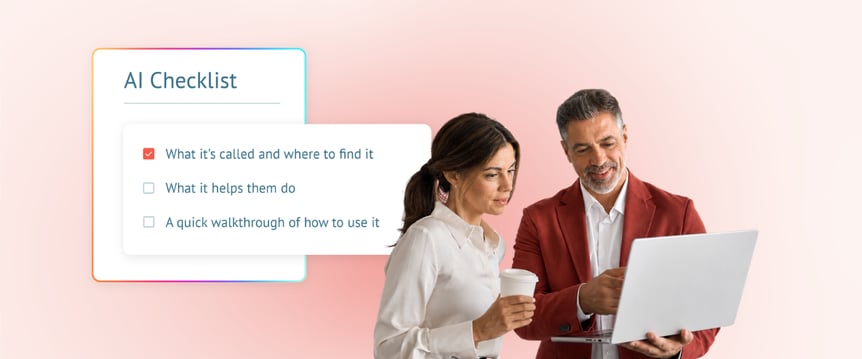
Show your team exactly which tools you've chosen, what each one helps with, and how to use them. Keep training simple and practical. For example, for each tool, you can cover these three things:
- What it's called and where to find it
- What it helps them do
- A quick walkthrough of how to use it
When people can see exactly what goes where, they start using it. Give them something they can pin up or pull up fast when they need a refresher.
5. Continually share best practices as a team
AI isn't a one-and-done training. AI tools will continue to evolve, and your team will get more comfortable using them. And somebody on your staff will inevitably figure out a trick that saves everyone 10 minutes a day.
So, build a culture of “I figured this out, and it might help you too,” so everyone on your team can keep getting the most out of AI tools.
Make it easy for people to pass along what's working by creating an open floor for sharing quick tips in team meetings or group chats. The funeral homes that get the most out of AI aren't the ones with the fanciest tools. They're the ones where people are constantly exploring the tools and helping each other get better over time.
Set your team up for success
Introducing AI to your team comes down to 3 things. Clear expectations, access to practical tools, and room to get comfortable using them. When you spend the time to train your team and help them know exactly where AI fits in their work and where it doesn't, they’ll experience the full benefits of the technology.
This results in hours back in their day to do what they really love: taking care of families in a way only they can.

How is AI being built into funeral home software?
Up to this point, we've talked about AI in a broad sense:
- What is it?
- Where does it fit in the funeral profession?
- How do you decide which AI tools are best to use?
- How do you use AI safely?
- What’s the best way to get your team on board with AI?
Now let's get specific.
When AI is built directly into your case management system and used thoughtfully, it can save hours of work every week and help your team operate more smoothly. All without adding more tools to learn or more tabs to keep open.
And here’s the thing: all of this is already happening. Case management platforms are building AI tools specifically for the work you do every day, designed to fit right into the workflows your team already knows.
In Passare, AI is being developed across several areas of the platform. Each one helps you spend less time on a specific part of your day, so you can get back to serving families.
Plus, every tool lives inside Passare, so your data never leaves the platform, and there's nothing new to download, log into, or learn from scratch.
Here's what’s available now.

Intake process → AI Scanner
The problem it solves:
You just sat with a family and wrote down everything by hand: vitals, first-call details, and next-of-kin information. Now you're back at your desk, squinting at your own handwriting, retyping every single field into your case management software. It's tedious. It's time-consuming. And it's where small errors creep in.
What it does:
Snap a photo or upload a handwritten Passare First Call form using Passare Mobile, and AI Scanner reads the handwriting and populates the information directly into the case's vitals fields. That's it. No retyping.
Why it matters:
- Saves time on data entry — No more sitting at a computer re-entering what you already wrote down by hand.
- Improves accuracy — Information is captured exactly as written, and anything that doesn’t look right gets flagged for your review before it’s saved.
- Works with real handwriting — Tested on hundreds of handwriting samples, and yes, it can read chicken scratch.
The payoff:
Every minute you're not retyping vitals at your desk is a minute you can spend preparing for the next family, following up on a pending case, or simply catching your breath on a day that won't give you many chances to do so.

Service planning and creative processes → AI Assistant
The problem it solves:
When you're managing multiple cases in a week, it's easy to hit a creative wall. You want every service to feel personal and meaningful, but the ideas don't always flow, especially when you're stretched thin. Details start to blur together across families, and you worry about bringing the same generic suggestions to every meeting.
What it does:
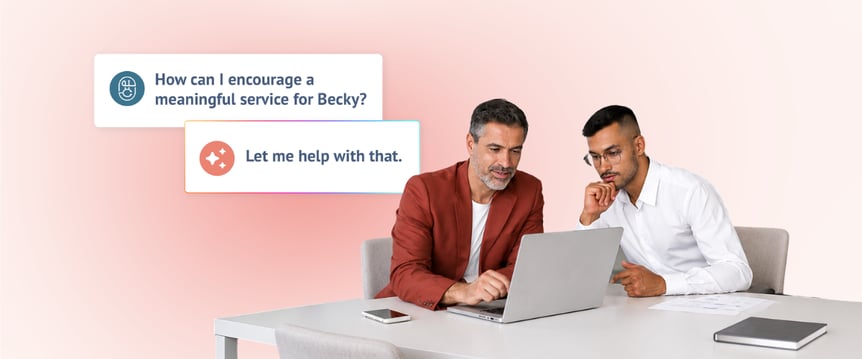
Built right into Passare, AI Assistant uses case details, including information families entered through Planning Center, to create personalized, meaningful service ideas and recommendations built around that person's life. Not generic templates. Specific, meaningful suggestions rooted in who they actually were.
Why it matters:
- Grounded in grief expertise – Trained with teachings from grief expert Dr. Alan Wolfelt, so the suggestions are sensitive, healing-focused, and appropriate for grieving families. No other AI tool in funeral service can say that.
- Works securely within Passare — No copying case details into an outside AI tool and hoping it’s safe.
- Helps you brainstorm during the arrangement conference or prep beforehand — Always have thoughtful, personalized ideas ready to go.
- Select from tailored prompts – Start a conversation and save recommendations as notes within the case.
The payoff:
You never walk into an arrangement meeting empty-handed. AI Assistant keeps you prepared, creative, and confident even on your busiest days. And because it pulls from the details of this family's loved one, every suggestion feels specific, not scripted.

Arrangement conferences → AI Notetaker
The problem it solves:
During an arrangement conference, you’re caught between two competing priorities: giving grieving families your full, compassionate presence and furiously scribbling notes to capture every detail, story, and request. When the meeting wraps up, you're left wondering if you missed something crucial while looking down at your notepad.
What it does:
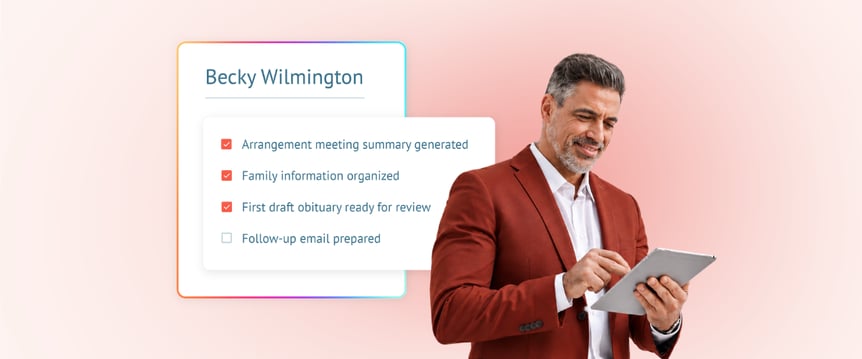
With a few taps in Passare Mobile, AI Notetaker securely records, transcribes, and summarizes the arrangement meeting in real time. It generates an organized summary and full transcript attached directly to the case, allowing you to set down the pen and focus completely on the family.
Why it matters:
- Be 100% present in the room — Give families your undivided eye contact, empathy, and attention without distraction.
- Captures every detail — From specific musical requests mentioned in passing to personal family anecdotes, nothing gets lost in translation or forgotten.
- Instant meeting summaries — Get an organized, high-level summary of the meeting immediately after it ends.
- Built securely into Passare — Audio, transcripts, and summaries live inside Passare Mobile and Web, meaning no third-party recording apps or security risks.
The payoff:
You get to be fully present with the family during one of the most vulnerable conversations of their lives, confident that every word, wish, and detail is securely captured and ready when you need it.

Case updates and data entry → AI Suggestions
The problem it solves:
After an arrangement meeting, the real administrative work begins. You have to sort through what was discussed, update the right parts of the case, add tasks for your team, and make sure nothing important gets missed. It eats up hours of your afternoon, creates a post-meeting backlog, and leaves room for human error.
What it does:
AI Suggestions works alongside AI Notetaker in Passare Mobile to analyze meeting transcripts from recorded arrangement conferences and make recommendations for case updates. You can review all suggestions in one place and approve or dismiss each one. Recommended updates could be applied to vitals, service details, family and friends, notes, or checklists Approved suggestions automatically populate the appropriate fields in the case with the correct information.
Why it matters:
- Turns conversations into action — Get structured case updates ready to review and apply with a single click.
- You’re always in control — Review and approve every suggestion before anything is added to the case.
- See the proof behind every detail — Check the exact transcript quote and reasoning to verify information in seconds.
The payoff:
You don't spend the two hours after an arrangement meeting stuck at your desk organizing and re-entering data. You simply review the suggestions, click approve, and walk into your next service knowing your case is completely up to date.

Obituary creation → AI Obituary Writer
The problem it solves:
The hardest part of writing an obituary is staring at the blank page. You know the family. You know their loved one's story. But translating all of that into the right words, in the right tone, on a deadline (while you still have 4 more to write this week) is a heavy lift.
And then the revision cycle starts: the family sends edits, you rewrite, they send more, you rewrite again.
What it does:
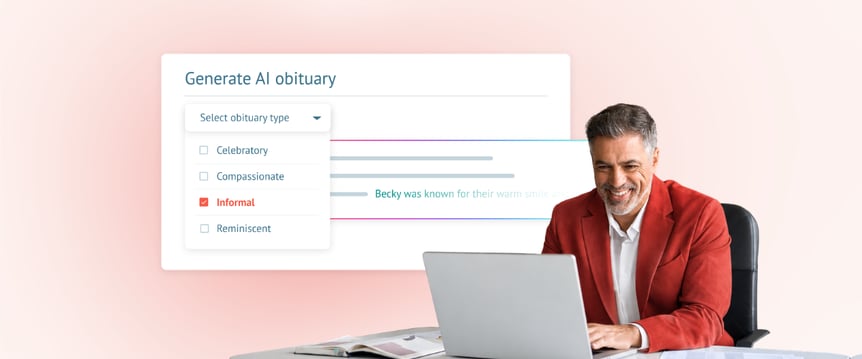
AI Obituary Writer uses case information already in Passare to generate a first draft in seconds. You select a tone – celebratory, informal, reflective, reverential, compassionate, or a mix – adjust the word count, and refine from there. The hardest part (staring at a blank page) is done before you even sit down.
Why it matters:
- For funeral directors – Get a solid first draft instantly, make quick revisions, and create multiple versions with different tones to present options to the family. What used to be an hour-long process becomes a 5–10 minute task.
- For families – They can access the AI Obituary Writer directly through Planning Center. They input details about their loved one, generate a draft on their own time, and any information they enter syncs back to the case in Passare, reducing your data entry, too.
- Everything stays in one place – No external writing tools, no emailing drafts back and forth. The obituary lives in the case from the first draft to the final version.
The payoff:
AI handles the blank page so you and the family can focus on making it personal. You're still the one who adds the warmth, the inside joke, the detail that makes a family tear up and say, "That's exactly who they were."
And more to come
These tools are just the beginning. Passare is continuing to develop AI across the platform, always with the same goal in mind: less time on data entry and admin, more time with families.
As AI evolves (and it will), your case management system should evolve with it. The tools you rely on should keep getting smarter, so your workflow keeps getting smoother.

The work only you can do
Remember the picture we painted at the beginning of this guide?
The funeral director whose alarm goes off (or whose phone rings at 3 AM). The day that doesn't stop. At-need calls, arrangement conferences, vendor coordination, forms, follow-ups, services, all while showing up fully for every family who walks through the door.
That reality isn't changing. Families will always need you. The work will always be demanding. And you'll always be the one they trust to guide them through one of the hardest moments of their lives.
What can change is how much of your day gets eaten by busywork. The stuff that doesn't need your expertise, your empathy, or your presence.
AI isn't here to take over the funeral profession. It's here to handle the time-consuming, low-stakes tasks that pull you away from the work that actually matters.
AI can draft. Summarize. Transcribe. Populate. Research. Speed things up.
But the heart of funeral service, the guidance and compassion shown to a family in crisis, that's work only you can do.
The funeral directors who thrive with AI won't be the ones who use it the most. They'll be the ones who use it in the right places, so they can show up more fully in the moments that count.
AI helps you be more present with families and provide a more personal touch where it matters most. Use AI as your assistant. Keep the expert guide human.
See what that looks like in a demo.